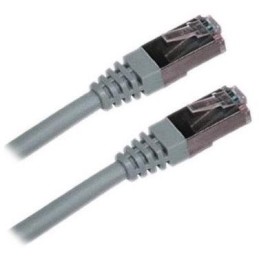
XtendLan S/FTP Cat 6A 15 m gray; Patch cable of category Cat 6A with two RJ-45 connectors, for connecting network devices. The cable length is 15 m. BASIC SPECIFICATIONS; Category: Cat 6A...
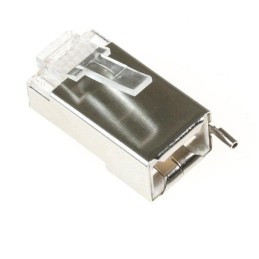
Ubiquiti TC-CON; Shielded RJ-45 8p8c connector. For wire, round cable. Without insert. The highest supported protocol is 1000BASE-T. The contacts are covered with 50 µm gold. BASIC SPECIFICATIONS;...
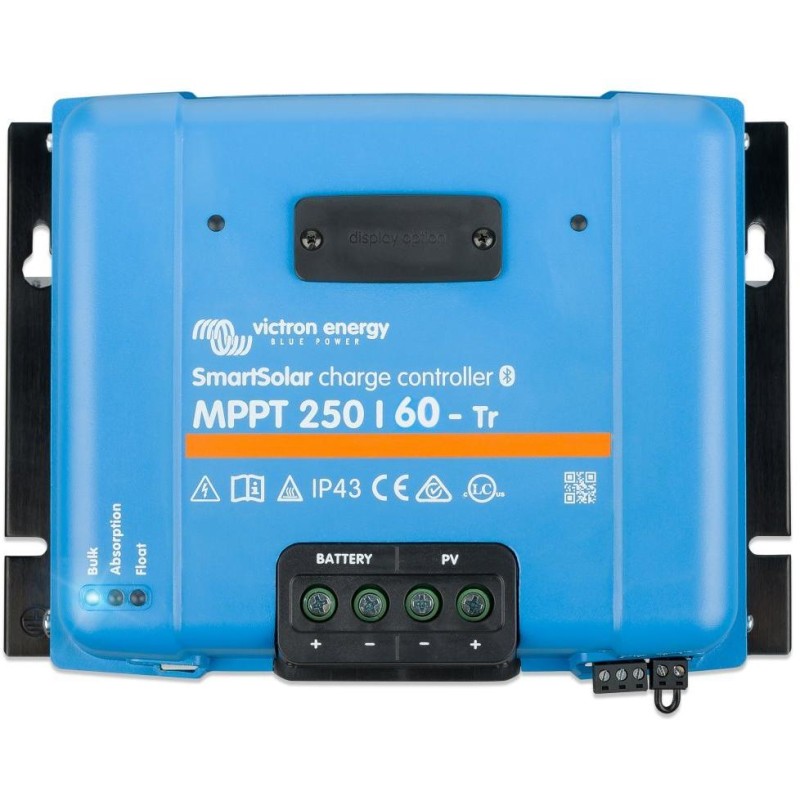
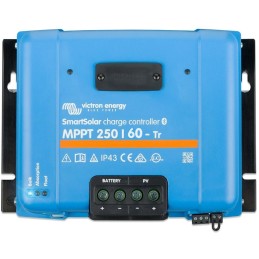
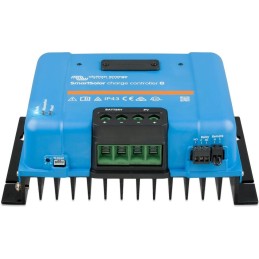
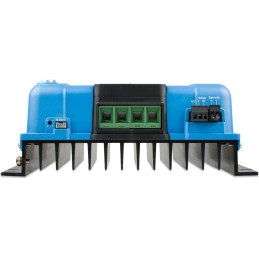
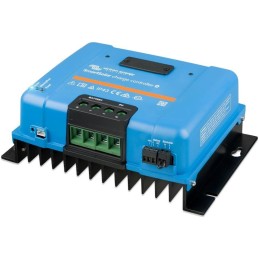
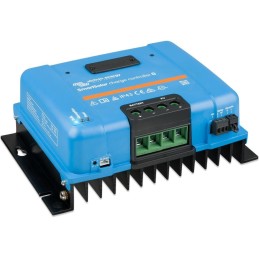
Victron SmartSolar 250/60-Tr MPPT; Robust and fast MPPT controller for demanding conditions with panel voltage up to 250 V, charging current 60 A. Battery 12/24/48 V, PV max. 860/1720/3440 Wp. Built-in...
Victron SmartSolar 250/60-Tr MPPT Robust and fast MPPT controller for demanding conditions with panel voltage up to 250 V, charging current 60 A. Battery 12/24/48 V, PV max. 860/1720/3440 Wp. Built-in Bluetooth and connector for plug-in display. Ultra-fast Maximum Power Point Tracking (MPPT) Victron Energy MPPT solar controllers are among the absolute world leaders in this field and offer ultra-fast MPPT tracking. Especially in cloudy skies with continuous changes in irradiance, this controller makes solar gains 30% higher compared to classic PWM controllers or 10% higher compared to slow MPPT controllers. Especially in partial shading, two or more maximum power points can be given. Conventional MPPT controllers strive to maintain power at the local power point, which may not correspond to the optimal (maximum) power point. Excellent efficiency of up to 99%, without unnecessary energy losses with silent passive cooling without a fan. The controller is suitable for charging both lead-acid and LiFePo4 batteries. Unlike the regular Victron Energy BlueSolar controller, the SmartSolar MPPT controller offers the following four new features: 1. Built-in Bluetooth Smart You can monitor and configure the SmartSolar MPPT controller via a smartphone or tablet. You can monitor current statuses and historical data and set parameters using the VictronConnect mobile application, which can be downloaded for free on Google Play or in the App Store. If you want to do the above using a PC, then you can use the VE.direct to USB cable to connect the controller and the PC. You only need to install the Victron Connect program on your computer, which you can download for free again at the same address, see above. 2. SmartSolar plug-in display (not included) It is possible to purchase an additional SmartSolar plug-in display as an accessory. The display plugs into the connector on the front of the controller and allows you to visualize all operating states and set parameters. 3. Remote on/off input An external device can easily turn the controller on/off. 4. Built-in programmable relay It can also be programmed using a mobile phone, for example as an alarm relay. You can check the correct choice of your MPPT controller according to the parameters of the PV array in this configurator or in a newer version, which can be found at www.victronenergy.com/support-and-downloads/software. Internal temperature sensor and optionally external battery voltage and temperature sensing via Bluetooth A “smart battery sensor” or the BMV-712 intelligent battery monitor can be used to communicate with the battery. Installing the controller is relatively simple, you set the battery type on the controller using the rotary switch (see manual) and then connect the controller to the batteries, it reads the battery voltage and adjusts itself automatically. Next, you connect solar panels to the controller, for these powerful models we usually use 60-cell panels with a power of 250-270 Wp. In this case, we connect a maximum of five panels in series so that the maximum permitted VOC voltage of the panels of 250 V is not exceeded. You can perform complete and detailed settings of the individual charging modes of the controller via a mobile phone, a plug-in display or program it via a PC using the VE.direct to USB cable. The maximum permitted panel power for 12 V systems is 860 Wp, for 24 V systems 1720 Wp and for 48 V systems 3440 Wp. If these values are exceeded, the controller automatically reduces the power coming from the panels to acceptable values, so that excess power does not damage the controller. The controller can only be damaged if the maximum VOC voltage of the panels is not observed, 250 V. The maximum The input short-circuit current of the PV panels must not exceed 35 A, otherwise permanent damage may occur. Adaptive three-stage charging: 1. fast charging (Bulk), 2. absorption (Absorption) and 3. float (Float). Selection of eight pre-programmed values of absorption and float voltage using a rotary switch. The duration of absorption is determined by the voltage value before the start of a new charging cycle (morning). This has a positive impact on the full recharge of the battery and its service life. Activation of the controller when the voltage from the panels is higher than the voltage on the battery. The voltage from the panels must exceed the battery voltage by 5 V for the controller to start working and charging the battery. The controller charges until the voltage from the panels is 1 V higher than the battery voltage. Extended electronic protection Protection against overheating, short-circuit protection and reverse polarity of the PV panels. Note: Victron Energy MPPT controllers are not allowed to be used in combination with photovoltaic panel optimizers. MPPT controllers and optimizers may be damaged during use and this damage may not be recognized as a legitimate complaint. BASIC SPECIFICATIONS Battery voltage: 12/24/48 V autodetection (36 V manual - software) Maximum battery current: 60 A Maximum PV power, 12 V: 860 W Maximum PV power, 24 V: 1720 W Maximum PV power, 36 V: 2580 W Maximum PV power, 48 V: 3440 W Maximum PV voltage (open circuit): 250 V absolute maximum under coldest conditions 245 V start-up and operating maximum Max. short-circuit current: 35 A Efficiency (max.): 99% Weight: 3 kg Dimensions: 250 x 185 x 95 mm VictronConnect application: VictronConnect application for Android mobile devices VictronConnect application for iOS mobile devices VictronConnect application for Mac devices The application is also available for download on the Victron Energy manufacturer's website (Mac/Windows/Linux/iOS/Android): https://www.victronenergy.com/support-and-downloads/software#victronconnect-app Configurator: https://www.victronenergy.com/upload/software/VE-MPPT-Calc-2_4.xlsx
Are you sure that you want to report this comment?
Report sent
Your report has been submitted and will be considered by a moderator.
Your report cannot be sent
Write your review
Review sent
Your comment has been added!
Your review cannot be sent
Price history
Our pricing is always guided by the principles of a fair price. We do not artificially move prices or brag about inflated percentages. You can always find price history for each product.
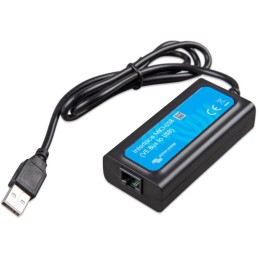
Victron MK3-USB; The MK3-USB computer interface is used for software configuration of Phoenix series inverters and MultiPlus and Quattro series inverter/chargers. All these devices have standard factory settings. To change the standard...
Victron SmartSolar 250/60-Tr MPPT; Robust and fast MPPT controller for demanding conditions with panel voltage up to 250 V, charging current 60 A. Battery 12/24/48 V, PV max. 860/1720/3440 Wp. Built-in...