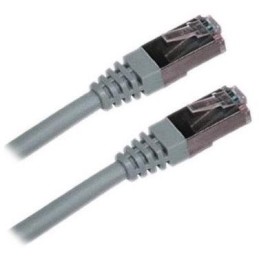
XtendLan S/FTP Cat 6A 15 m gray; Patch cable of category Cat 6A with two RJ-45 connectors, for connecting network devices. The cable length is 15 m. BASIC SPECIFICATIONS; Category: Cat 6A...
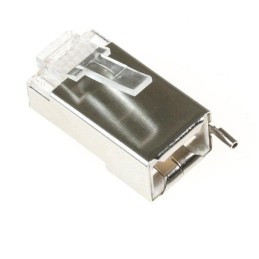
Ubiquiti TC-CON; Shielded RJ-45 8p8c connector. For wire, round cable. Without insert. The highest supported protocol is 1000BASE-T. The contacts are covered with 50 µm gold. BASIC SPECIFICATIONS;...
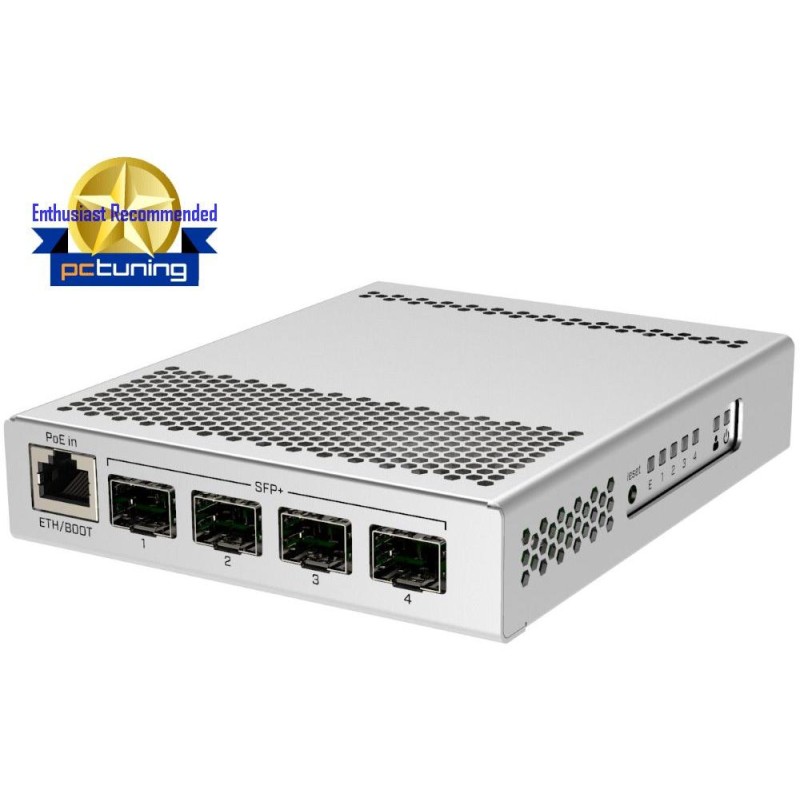
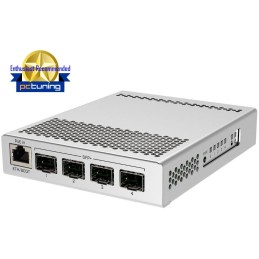
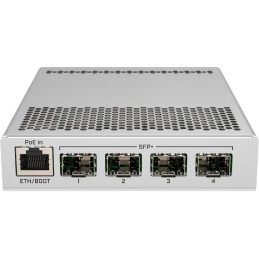
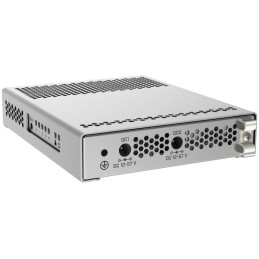
MikroTik CRS305-1G-4S+IN; Cloud Router Switch CRS305-1G-4S+IN is delivered in a metal indoor case and offers 4x SFP+ and 1x Gbit port. The switch has power backup (two sources). With SFP+ support, the router/switch can communicate...
MikroTik CRS305-1G-4S+IN Cloud Router Switch CRS305-1G-4S+IN is delivered in a metal indoor case and offers 4x SFP+ and 1x Gbit port. The switch has power backup (two sources). With SFP+ support, the router/switch can communicate at speeds up to 10 Gbps. Power can be supplied via the first port, which supports both passive (12-57 V) and active (802.3at/af) PoE power supply. The device has Dual boot, i.e. it allows you to choose between the RouterOS and or SwOS operating systems. SwOS is ideal for setting switching functions. The advantage is that all options in SwOS work in hardware mode, so you cannot accidentally activate software mode, which can significantly reduce device performance. For more complex configurations or just for the ability to set up the device via winbox, the RouterOS system is suitable. You can select the desired operating system directly in RouterOS or SwOS or from the RouterBOOT loader. Information about the MikroTik RouterOS system If you are starting with MikroTik RouterOS or need advice on more complex settings, you can use our support. You can learn how to set up and manage your RouterBoard at our training courses. Setup tips and frequently asked questions can be found in the Technical Support section. All RouterBoards have the same MikroTik RouterOS system. All devices with MikroTik RouterOS fully support IPv6, have a firewall, Queues, NAT and with an L4 license support the CAPsMAN server. MikroTik can be set up via a web interface, via a mobile application, or with the winbox program, which can be downloaded from mikrotik.com. MikroTik has a "Quick Set" option, i.e. a quick setup option. There are several preset profiles to choose from. The MikroTik CRS305-1G-4S+IN switch won an award in a review on the pctuning.cz server. Link to the review here. BASIC SPECIFICATIONS Ports: 4 x SFP+, 1 x RJ-45 10/100/1000 Switching capacity: 82 Gbps Routing speed: 61 Mpps PoE support: yes, 802.3af/at (max. 12 W) Dimensions: 141 x 115 x 28 mm Weight: 0.8 kg Useful links and videos: Declaration of conformity + user manual Device setup via Quick Set quick guide Mobile phone control application Device reset, reset button function MikroTik RouterOS system recovery via Netinstall utility Address translation (NAT) setup Load Balancing setup (distribution of traffic between multiple Internet connections) Failover setup (switching the link to the backup in case of an outage) Multiple uplinks using PCC & Load balancing Static NAT & RouterOS MikroTips: Netinstall
Are you sure that you want to report this comment?
Report sent
Your report has been submitted and will be considered by a moderator.
Your report cannot be sent
Write your review
Review sent
Your comment has been added!
Your review cannot be sent
Price history
Our pricing is always guided by the principles of a fair price. We do not artificially move prices or brag about inflated percentages. You can always find price history for each product.
Lowest price in recent times 30 days was
€120.52
MikroTik CRS305-1G-4S+IN; Cloud Router Switch CRS305-1G-4S+IN is delivered in a metal indoor case and offers 4x SFP+ and 1x Gbit port. The switch has power backup (two sources). With SFP+ support, the router/switch can communicate...