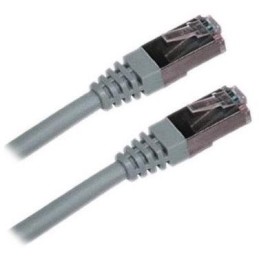
XtendLan S/FTP Cat 6A 15 m gray; Patch cable of category Cat 6A with two RJ-45 connectors, for connecting network devices. The cable length is 15 m. BASIC SPECIFICATIONS; Category: Cat 6A...
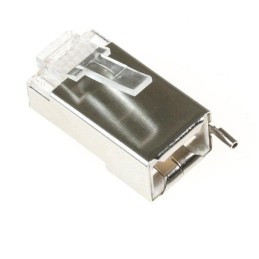
Ubiquiti TC-CON; Shielded RJ-45 8p8c connector. For wire, round cable. Without insert. The highest supported protocol is 1000BASE-T. The contacts are covered with 50 µm gold. BASIC SPECIFICATIONS;...
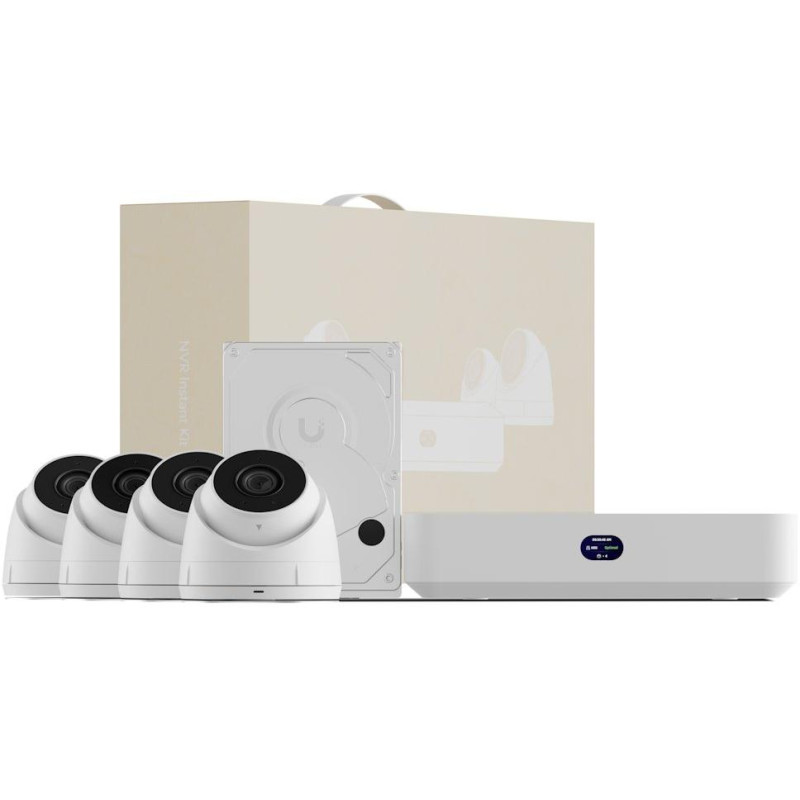
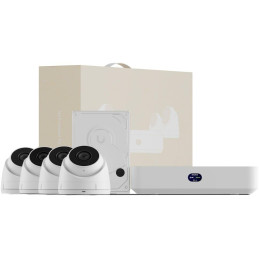
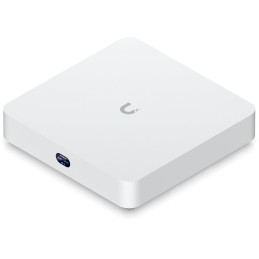
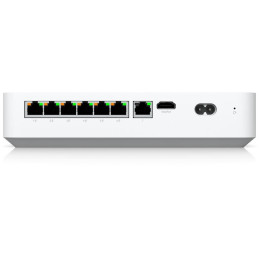
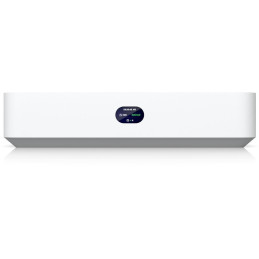
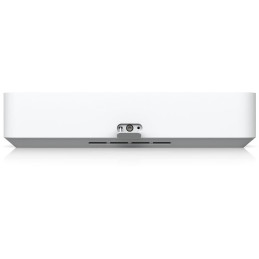
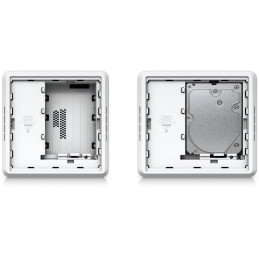
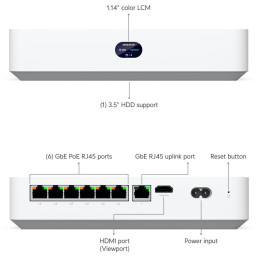
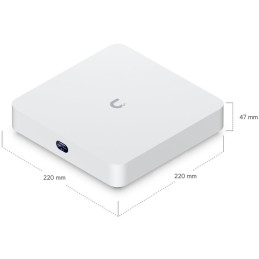
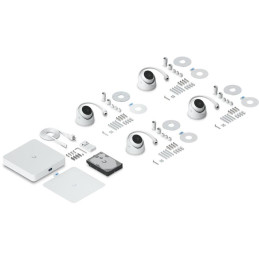
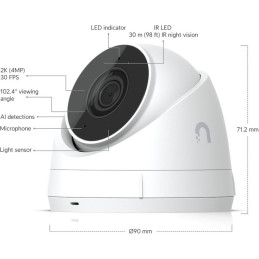
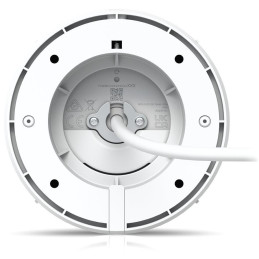
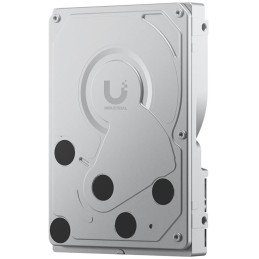
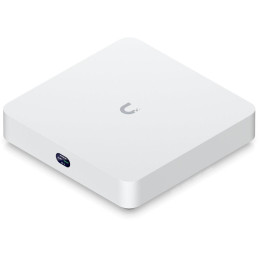
Ubiquiti UniFi Network Video Recorder Instant Kit Compact UniFi Protect NVR kit containing 1x UniFi Protect NVR Instant, 4x G5 Turret Ultra cameras and 1x HDD (1 TB). A comprehensive solution for quick and easy deployment. Designed for small to medium installations, the UniFi Protect NVR combines the functions of a network video recorder with a 6-port Gigabit PoE switch (40W budget) and an integrated HDMI Viewport for live camera monitoring. It supports up to 15 Full HD, 8 2K or 6 4K cameras and also allows management of up to 50 UniFi Access hubs for access control. The device is equipped with a powerful quad-core ARM Cortex-A55 processor (1.7 GHz), 4 GB of RAM and a slot for one 3.5" HDD. The compact design of 220 × 220 × 47 mm allows installation on a wall or on a DIN rail. To connect to a camera network, it requires a UniFi Gateway or Layer 3 switch for assigning IP addresses. Integrated 6-port Gigabit PoE switch with a total power of 40W for powering the cameras Capacity to manage up to 15 Full HD, 8 2K or 6 4K UniFi cameras simultaneously Integrated HDMI Viewport for live viewing of selected cameras on an external monitor Slot for one 3.5" HDD or 2.5" SSD drive (minimum 1 TB, CMR 7200 RPM recommended) UniFi Access support for managing up to 50 access hubs and a door system Powerful quad-core ARM Cortex-A55 processor with a frequency of 1.7 GHz and 4 GB RAM Compatibility with third-party ONVIF cameras for easy migration of existing systems Compact design with 1.14" display, wall or DIN rail mounting Support for advanced UniFi Protect features including AI Key, AI Port and SuperLink NDAA compliant, FCC, IC, CE certification, operating temperature 0 to +40 °C UniFi Protect and UniFi Access integration The NVR supports all UniFi Protect features including advanced AI features, data protection and vantage point. It enables unified management of the camera system and physical access controls from a single device. Connectivity and network interface The device offers 1× Gigabit uplink port for network connection, 6× Gigabit PoE downlink ports (802.3af/at) with a maximum power of 15.4W per port and a total budget of 40W. The HDMI port allows you to connect an external monitor for Viewport. Storage requirements The NVR supports one 2.5" or 3.5" disk (HDD or SSD) with a minimum capacity of 1 TB. For optimal performance, CMR (Conventional Magnetic Recording) disks with a speed of 7200 RPM are recommended. The maximum disk consumption can be up to 11W. BASIC SPECIFICATIONS Processor: ARM Cortex-A55 quad-core 1.7 GHz Memory: 4 GB Supported applications: UniFi Protect, UniFi Access Camera capacity: up to 15× Full HD / 8× 2K / 6× 4K Access hub capacity: up to 50 Storage: 1× slot for 3.5" HDD or 2.5" SSD (min. 1 TB) PoE ports: 6× Gigabit RJ45 (total 40W, max. 15.4W/port) Uplink: 1× Gigabit RJ45 Video output: 1× HDMI (Viewport) Display: 1.14" screen Power supply: AC/DC internal, 60W (100–240 V AC) Consumption: max. 9W (without connected devices) Management: Ethernet, Bluetooth Dimensions: 220 × 220 × 47 mm Weight: 1.04 kg Material: polycarbonate Operating temperature: 0 to +40 °C
Operating humidity: 5 to 95% (non-condensing) Certification: FCC, IC, CE, NDAA compliant Manual (assembly instructions): https://dl.ui.com/qig/unvr-instant/#index .unifi-widget-wrapper { --unifi-bg: #f5f5f7; --unifi-container: #ffffff; --unifi-text: #1d1d1f; --unifi-border: rgba(0, 0, 0, 0.08); --unifi-hover: rgba(0, 0, 0, 0.02); --unifi-shadow: rgba(0, 0, 0, 0.08); --unifi-accent: #0066ff; font-family: -apple-system, BlinkMacSystemFont, 'Segoe UI', Roboto, sans-serif; display: block; width: 100%; animation: unifi-fadeIn 0.6s ease-out; } @keyframes unifi-fadeIn { from { opacity: 0; transform: translateY(20px); } this { opacity: 1; transform: translateY(0); } } .unifi-widget-wrapper .unifi-container { background: var(--unifi-container); border-radius: 16px; overflow: hidden; box-shadow: 0 4px 24px var(--unifi-shadow); border: 1px solid var(--unifi-border); transition: all 0.3s ease; } .unifi-widget-wrapper .unifi-container:hover { transform: translateY(-2px); box-shadow: 0 8px 32px rgba(0, 0, 0, 0.12); } .unifi-widget-wrapper .unifi-header { padding: 20px 24px; font-size: 17px; font-weight: 600; color: var(--unifi-text); background: linear-gradient(135deg, #fafafa 0%, #f5f5f5 100%); border-bottom: 1px solid var(--unifi-border); position: relative; margin: 0; } .unifi-widget-wrapper .unifi-header::before { content: ''; position: absolute; top: 0; left: 0; width: 100%; height: 1px; background: linear-gradient(90deg, transparent, var(--unifi-accent), transparent); animation: unifi-shimmer 6s ease-in-out infinite; } @keyframes unifi-shimmer { 0%, 100% { transform: translateX(-100%); } 50% { transform: translateX(100%); } } .unifi-widget-wrapper .unifi-table { width: 100%; border-collapse: collapse; } .unifi-widget-wrapper .unifi-table tr { transition: background 0.2s ease; position: relative; } .unifi-widget-wrapper .unifi-table tr::before { content: ''; position: absolute; left: 0; top: 0; width: 3px; height: 100%; background: var(--unifi-accent); transform: scaleY(0); transition: transform 0.2s ease; } .unifi-widget-wrapper .unifi-table tr:hover::before { transform: scaleY(1); } .unifi-widget-wrapper .unifi-table tr:hover { background: var(--unifi-hover); } .unifi-widget-wrapper .unifi-table td { padding: 14px 20px; border-bottom: 1px solid rgba(0, 0, 0, 0.05); color: var(--unifi-text); vertical-align: middle; } .unifi-widget-wrapper .unifi-table tr:last-child td { border-bottom: none; } .unifi-widget-wrapper .unifi-table td:first-child { padding-left: 16px; padding-right: 0; width: 50px; } .unifi-widget-wrapper .unifi-table td:nth-child(2) { font-weight: 500; font-size: 14px; padding-left: 10px; } .unifi-widget-wrapper .unifi-table td:last-child { text-align: right; padding-right: 24px; width: 50px; } .unifi-widget-wrapper .unifi-app-icon { display: flex; align-items: center; justify-content: center; width: 40px; height: 40px; border-radius: 10px; background: rgba(0, 102, 255, 0.05); overflow: hidden; transition: all 0.3s ease; } .unifi-widget-wrapper .unifi-table tr:hover .unifi-app-icon { transform: scale(1.05); background: rgba(0, 102, 255, 0.08); } .unifi-widget-wrapper .unifi-app-icon img { width: 28px; height: 28px; object-fit: contain; transition: transform 0.3s ease; } .unifi-widget-wrapper .unifi-table tr:hover .unifi-app-icon img { transform: scale(1.1); } .unifi-widget-wrapper .unifi-icon { display: inline-flex; align-items: center; justify-content: center; width: 28px; height: 28px; border-radius: 50%; background: rgba(0, 102, 255, 0.1); transition: all 0.3s ease; } .unifi-widget-wrapper .unifi-table tr:hover .unifi-icon { background: rgba(0, 102, 255, 0.2); transform: scale(1.1); } .unifi-widget-wrapper .unifi-icon svg { width: 14px; height: 14px; stroke: var(--unifi-accent); stroke-width: 3; fill: none; } @media (max-width: 480px) { .unifi-widget-wrapper .unifi-header { padding: 16px 20px; font-size: 16px; } .unifi-widget-wrapper .unifi-table td { padding: 12px 16px; } .unifi-widget-wrapper .unifi-table td:first-child { padding-left: 12px; width: 44px; } .unifi-widget-wrapper .unifi-table td:nth-child(2) { padding-left: 8px; font-size: 13px; } .unifi-widget-wrapper .unifi-table td:last-child { padding-right: 20px; } .unifi-widget-wrapper .unifi-app-icon { width: 36px; height: 36px; } .unifi-widget-wrapper .unifi-app-icon img { width: 24px; height: 24px; } .unifi-widget-wrapper .unifi-icon { width: 24px; height: 24px; } .unifi-widget-wrapper .unifi-icon svg { width: 12px; height: 12px; } } UniFi application suite UniFi Protect – Protection & Security (cameras, doorbells, sensors, sirens) UniFi Access – Access system (readers, intercoms, hubs, locks).faq-container { max-width: 100%; width: 100%; margin: 0 auto; padding: 20px; font-family: -apple-system, BlinkMacSystemFont, 'Segoe UI', Roboto, Oxygen, Ubuntu, Cantarell, sans-serif; } details { margin-bottom: 0px; border-bottom: 1px solid #e0e0e0; padding-bottom: 0px; max-width: 100%; } details: last-child { border-bottom: none; } summary { font-size: 16px; font-weight: 600; color: #333; cursor: pointer; padding: 10px 0; list-style: none; display: flex; justify-content: space-between; align-items: center; max-width: 100%; } summary::-webkit-details-marker { display: none; } summary::after { content: '+'; font-size: 24px; color: #666; transition: transform 0.3s; } details[open] summary::after { transform: rotate(45deg); } summary:hover { color: #0066cc; } .faq-answer { font-size: 14px; line-height: 1.6; color: #555; padding: 10px 0; max-width: 100%; } .faq-answer a { color: #0066cc; text-decoration: none; } .faq-answer a:hover { text-decoration: underline; } .faq-answer ul { margin: 10px 0 0 20px; padding: 0; } .faq-answer li { margin: 5px 0; } Does Network Video Recorder Instant support all UniFi Protect devices and features? Yes, Network Video Recorder Instant supports all UniFi Protect features and devices, such as AI Key, AI Port, SuperLink, and Viewport. Does Network Video Recorder Instant support UniFi Access? Yes, Network Video Recorder Instant supports UniFi Access, allowing you to manage cameras and physical door access from a single device. Does Network Video Recorder Instant work without a network connection? Yes, Network Video Recorder Instant can work without external network access. However, a UniFi or other third-party gateway or Layer 3 switch is required to assign IP addresses to the cameras. Does Network Video Recorder Instant support third-party cameras? Yes, Network Video Recorder Instant supports seamless integration with third-party ONVIF compliant cameras, allowing for a smooth and easy migration of existing security systems to UniFi Protect. Does Network Video Recorder Instant include an integrated Viewport for Protect? Yes, Network Video Recorder Instant includes an integrated Viewport via the HDMI port. You can configure a multi-view in Protect and assign it to a Viewport for live viewing of selected cameras. What type of drives does Network Video Recorder Instant support? UNVR Instant supports one drive (HDD or SSD) in 2.5" or 3.5" format with the following requirements: Minimum capacity: 1 TB Must be CMR (Conventional Magnetic Recording) 7200 RPM recommended for higher performance More information: UniFi Storage Requirements and Compatibility Expanding RAID Storage Size .mw-sh-pic img, .mw-sh-tileOver .bl-heading1, .mw-sh-tileUnder .bl-heading2, .mw-sh-text .bl-text, .mw-sh-button .bl-btn, .mw-sh-list ul { display: none }
Are you sure that you want to report this comment?
Report sent
Your report has been submitted and will be considered by a moderator.
Your report cannot be sent
Write your review
Review sent
Your comment has been added!
Your review cannot be sent
Price history
Our pricing is always guided by the principles of a fair price. We do not artificially move prices or brag about inflated percentages. You can always find price history for each product.